Keen Apps Group
Productivity tools
 BACK
BACK

iPhone · iPad · Mac
Quire
Paper in, searchable PDF out. Scan, edit, sign and file — all on your own device.
Paperwork that files itself
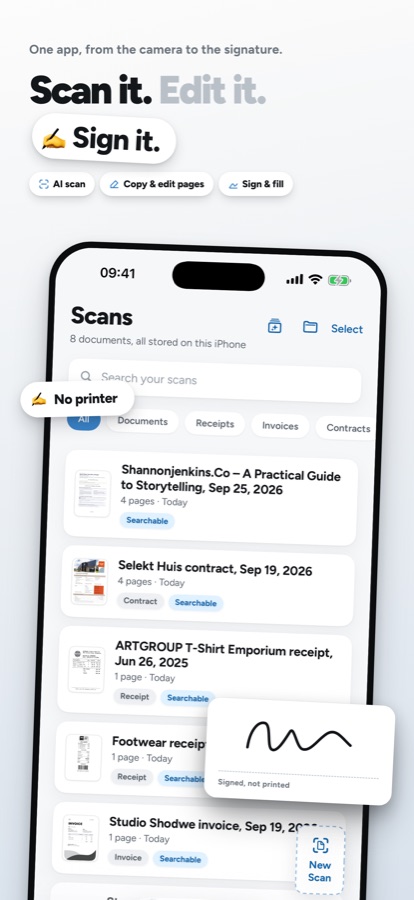
Point the camera at a document. Quire finds the edges, straightens the perspective, clears the shadows and reads the text. A letter that has been folded into an envelope comes back evenly lit, without the grey bands along its creases. What you get is a real PDF with a text layer: selectable, searchable, and yours.
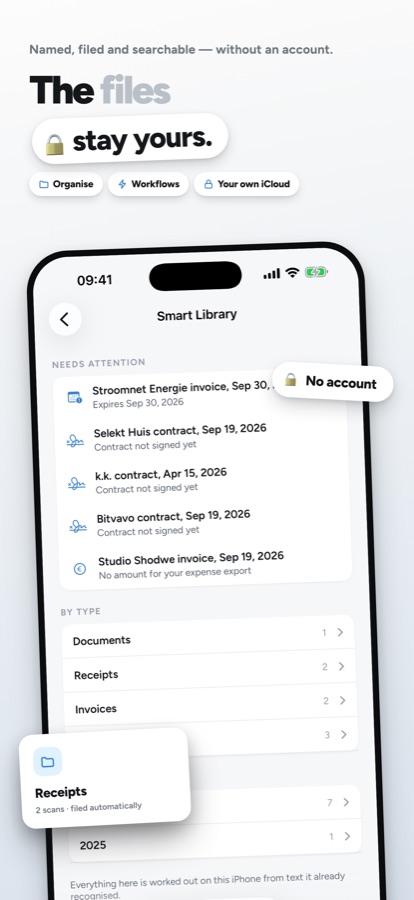
Receipts, invoices, contracts and ID cards then name, date and file themselves, because Quire reads what is actually printed on the page. All of it happens on the device — there is no account to make and no server to trust.
Key Features
📄 Scan anything, get a real PDF
Edges found, shadows and creases handled, text recognised — before you put the phone down. Unlimited scans and pages, and never a watermark.
✨ It names and files itself
Receipts, invoices, contracts and IDs sort themselves from the text on the page, into folders, by vendor and by year.
🔍 Search inside every scan
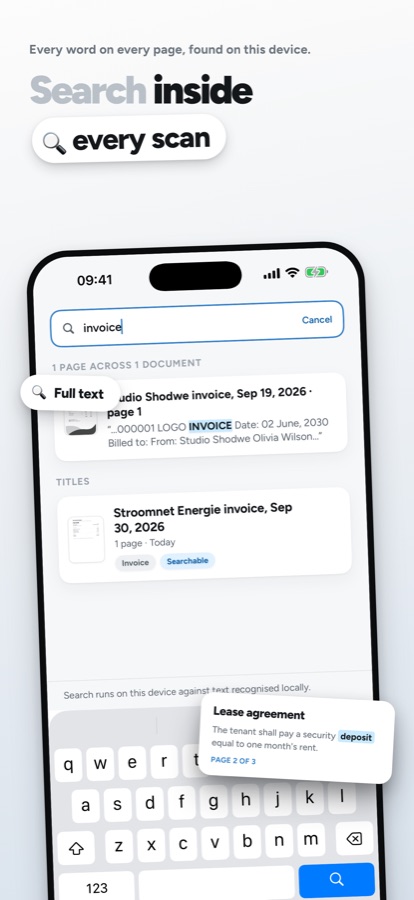
Find any word on any page, not just in the titles. Your scans show up in Spotlight too.
✍️ Sign and fill, no printer
Draw a signature once and reuse it, with dates and tick boxes. Fill a form and send it back without printing a thing.
⚡ Workflows and Shortcuts
Rename, file, save into any Files folder, or email — in one tap. Run them from Shortcuts and Siri too.
📤 Out as PDF, Word or Excel
Tables become real spreadsheet rows, receipts become a CSV for expenses, and a PDF can be locked with a password.
🔒 Nothing leaves your device
Text recognition, classification and naming run locally. No analytics, no advertising SDKs, no account. If you switch sync on, it uses your own iCloud — never a server of ours.
One app on iPhone, iPad and Mac
The Mac app is the same library, not a companion. Read a document full-screen and select its text, drag a scan out to the Desktop or into Mail, drop PDFs in to import them, and scan straight from your iPhone with Continuity Camera. On iPad the library sits on one side and the document on the other, with the Apple Pencil for signing and filling.
Quire Pro is one purchase for all three. Yearly, monthly, or a one-time lifetime unlock — whichever you prefer.
Perfect For
Expenses - Shoot receipts as they happen and export the lot as a CSV at month end
Contracts & forms - Sign and send back without a printer or a scanner in sight
Household paperwork - Bills, warranties and letters, named and filed without you doing it
Anything you would rather not upload - Payslips, medical letters, ID documents
Frequently Asked Questions
Do my documents get uploaded anywhere?
No. Scanning, cleanup, text recognition and filing all run on your device. Quire has no servers and no account. The only time a document leaves the device is if you turn on iCloud sync — which uses your own iCloud — or share it yourself.
Is there a watermark on the free version?
No. The free plan gives you unlimited scans and unlimited pages with no watermark, text recognition on documents up to five pages, and three signed documents a month.
Do I have to subscribe?
No. Pro is available yearly or monthly, but there is also a one-time lifetime purchase if you would rather buy it once. One purchase covers iPhone, iPad and Mac.
What languages does it speak?
Quire is available in English, German, Spanish, French, Dutch and Brazilian Portuguese, and reads text in many more.
What devices does Quire run on?
iPhone, iPad and Mac, with one purchase covering all three.
Need More Help?
Have questions or need assistance? We're here to help! Visit our contact page to get in touch. We typically respond within 24 hours.