Keen Apps Group
Productivity tools
 BACK
BACK

Mac · macOS 14 or later
Stand Up
Tracks sitting and breaks on its own, and tells you to get up — but only when telling you is welcome.
Stand Up is back, rebuilt from scratch
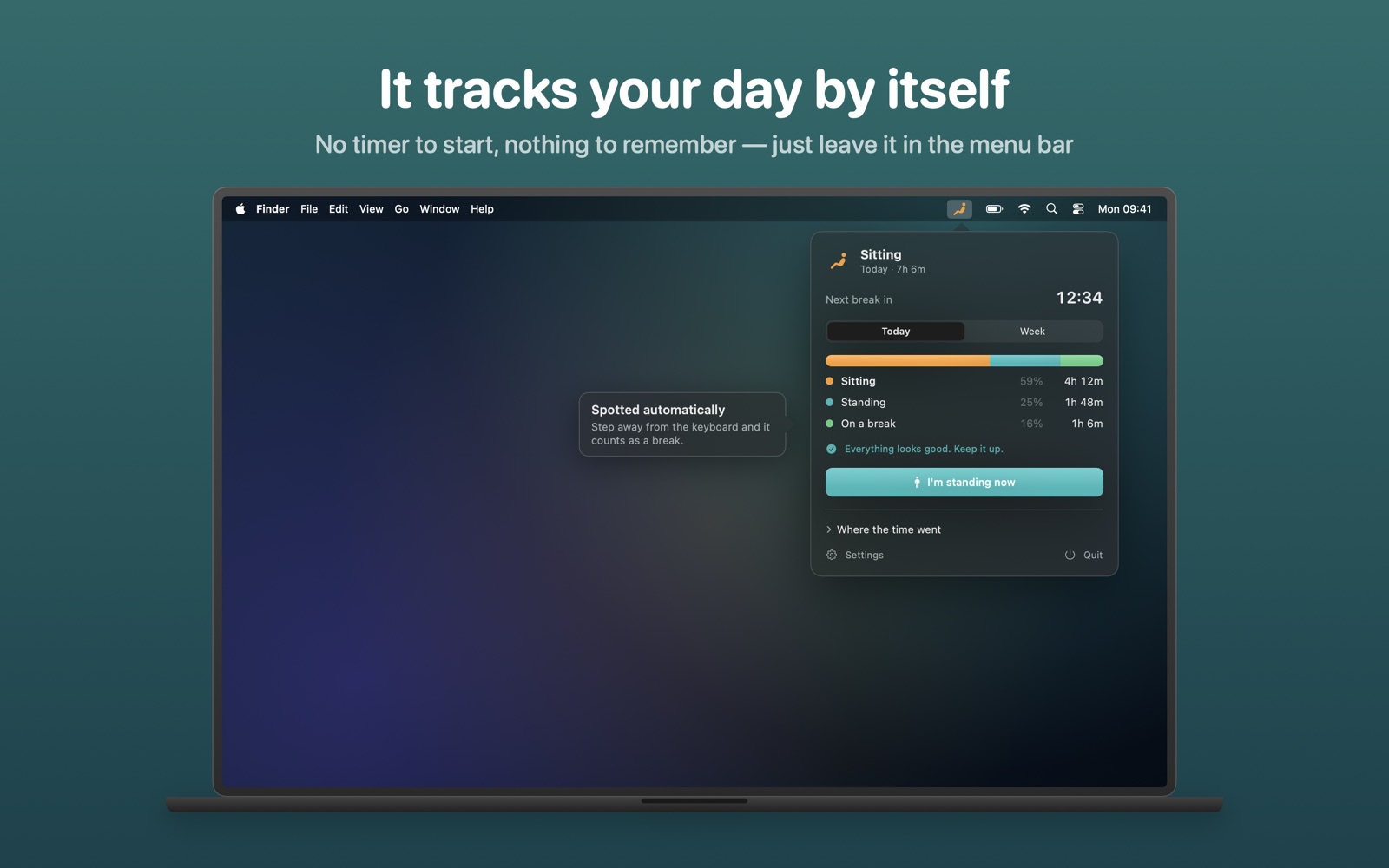
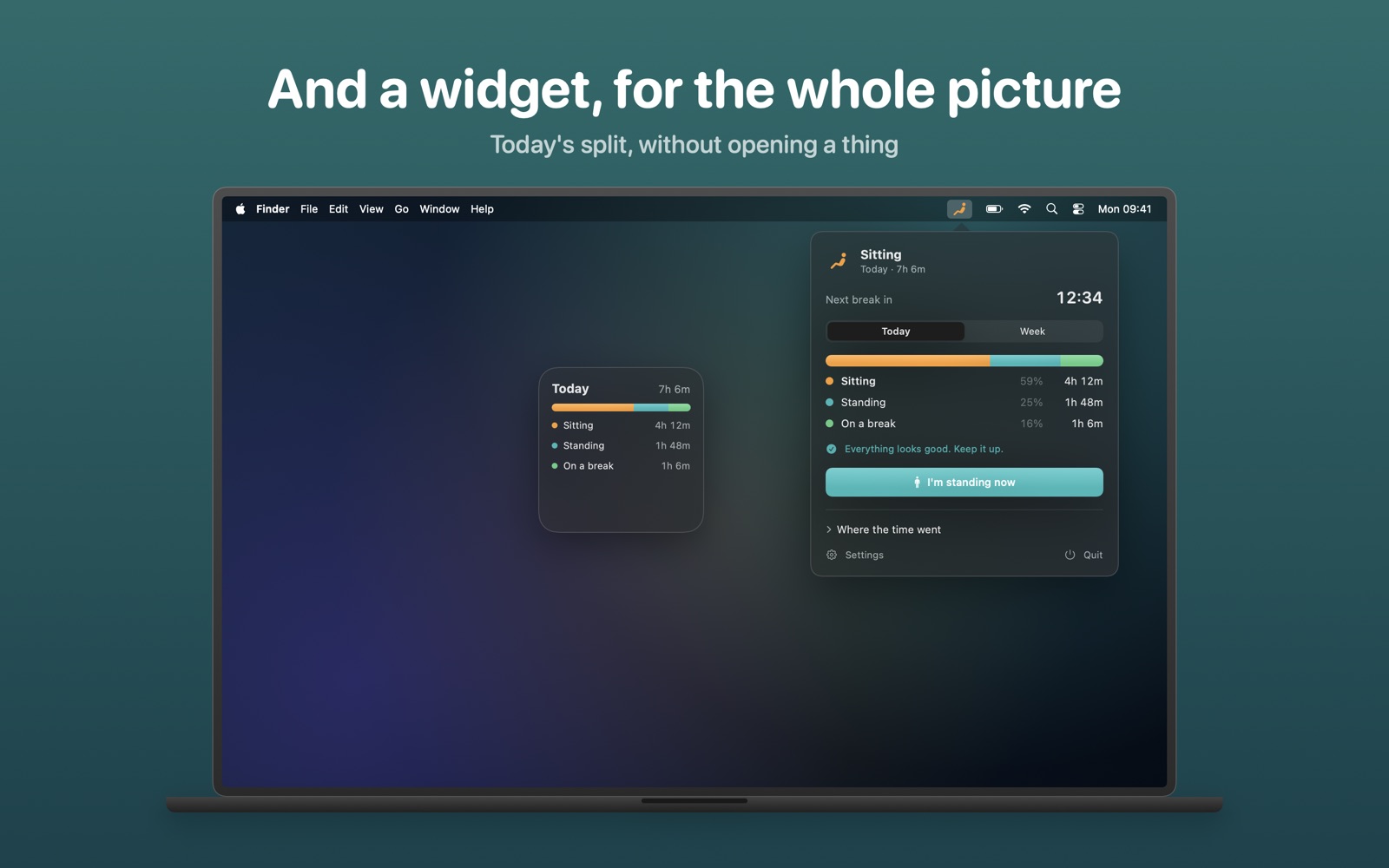
Stand Up lives in your menu bar and keeps an honest account of your working day: how long you have been sitting, how long you have been standing, and how much of it you actually spent away from the desk.
You never start a timer or press anything to begin. Step away from the keyboard and Stand Up counts it as a break; come back and it stops. The only thing it ever asks of you is whether you are sitting or standing, and only if you told it you have a sit/stand desk.
Key Features
🤫 Knows when to stay quiet
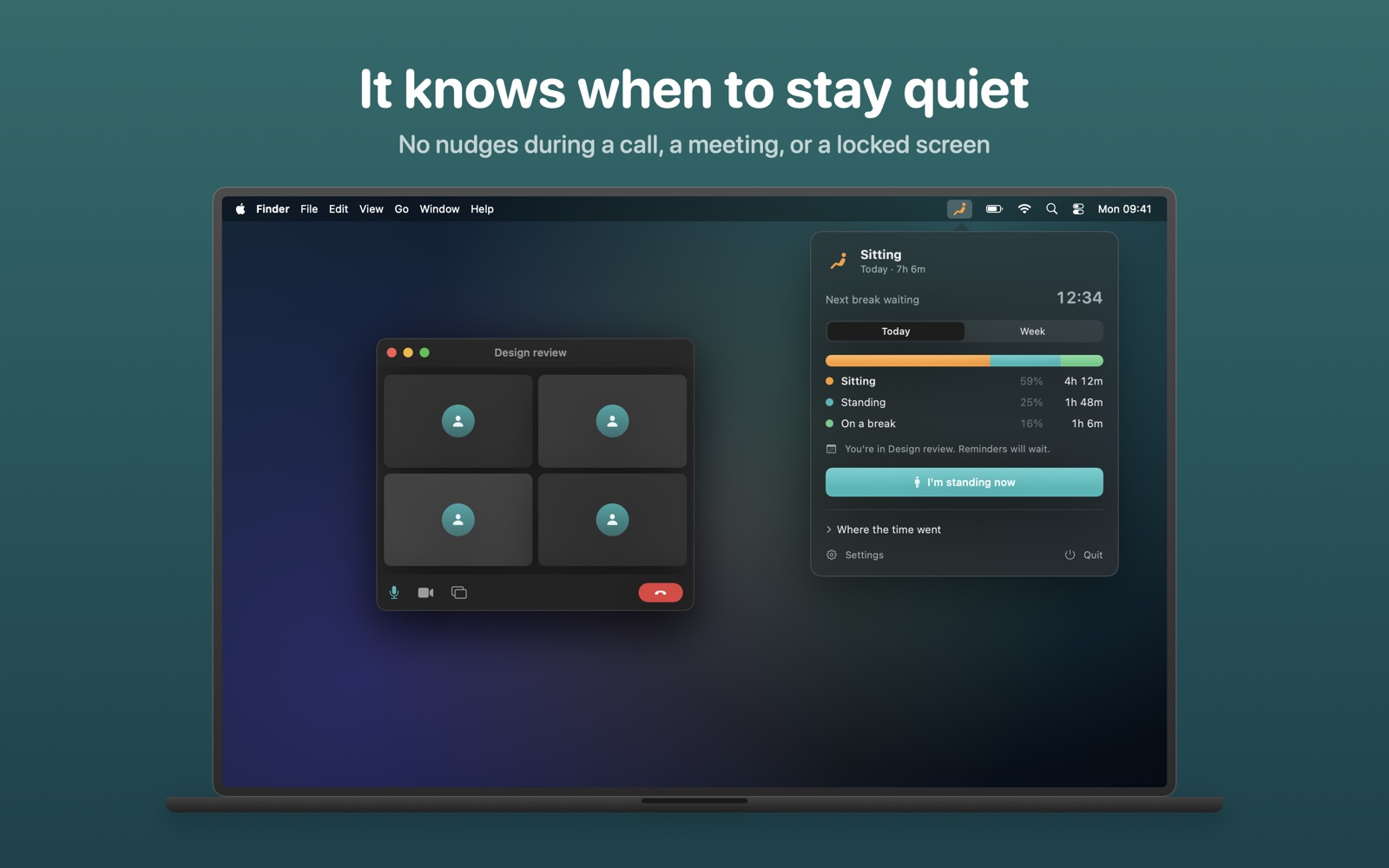
A reminder during a video call is the fastest way to get an app like this switched off. Stand Up notices when a microphone is in use, when a calendar event is running, and when your Mac is locked, and holds the nudge back rather than dropping it. The reminder arrives in the gap afterwards instead.
📅 Breaks that fit around meetings
If a break would have fallen inside a long meeting, it suggests taking it in the ten minutes before the meeting starts. And if you ignore three reminders in a row, it takes the hint and goes quiet for an hour.
👀 Tracks without watching
Stand Up works out where you are from keyboard and mouse activity. No camera. No microphone recording — it only asks the system whether some microphone is busy, which needs no permission and captures nothing.
📊 Sees more than today
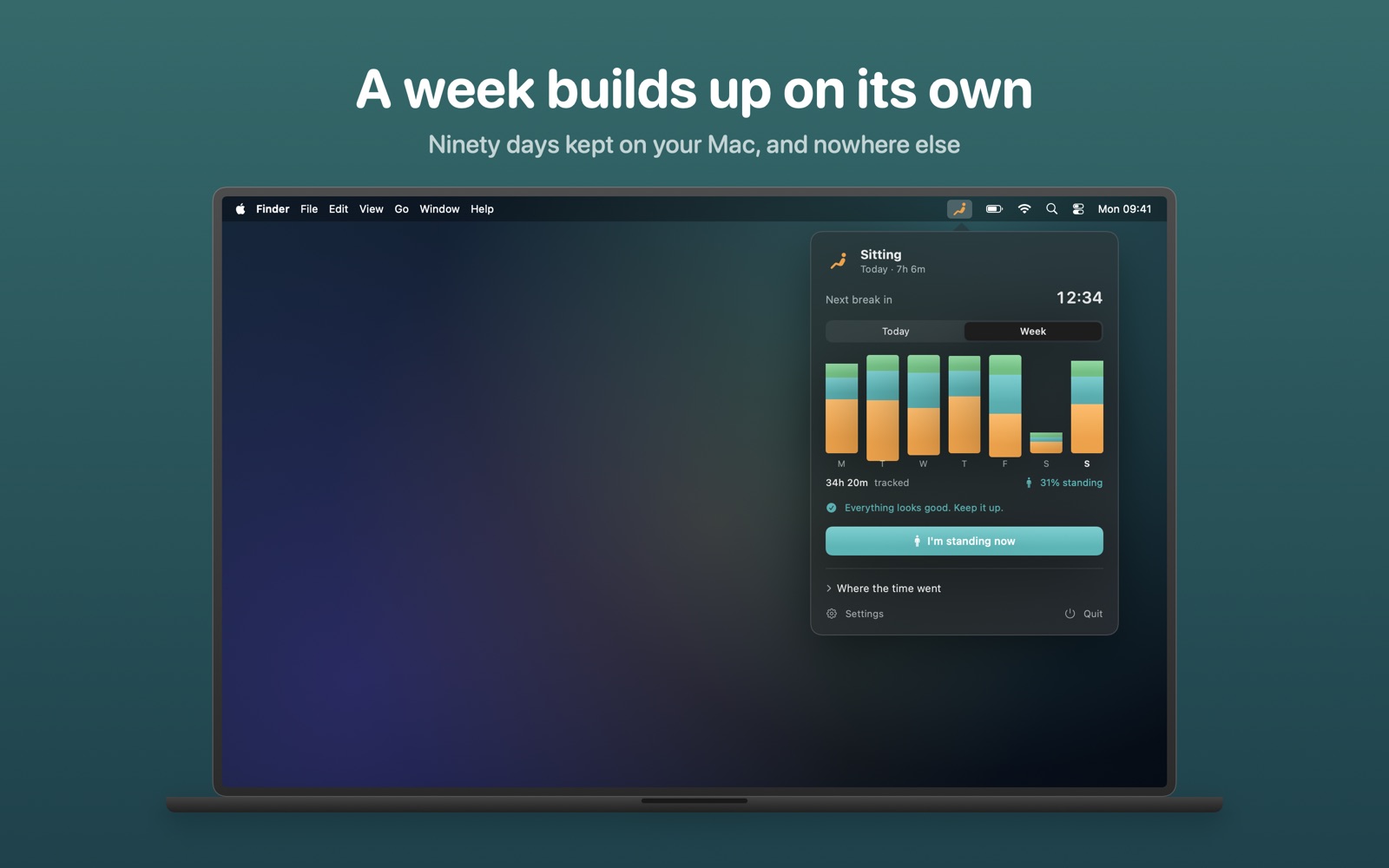
Ninety days of history, a seven-day chart in the menu bar, and a Monday morning summary telling you how last week's standing time compared with the week before. Export it all to CSV whenever you like — it is your data.
🪑 For sit/stand desks, or not
Tell Stand Up you have a sit/stand desk and it tracks both postures and nudges you to switch. Tell it you do not and standing disappears entirely, leaving a clean break reminder.
Fits the Rest of the Mac
- A Today widget for your desktop or Notification Centre
- Shortcuts and Siri: start a break, ask how long you have stood today, switch posture
- Notifications with snooze options built in
- An optional reminder that tells you when your break is up
- A countdown in the menu bar, if you want one
- Launches at login, stays out of the way
Private by Design
Everything stays on your Mac. There is no account, no sign-up, and nothing is uploaded, ever.
Frequently Asked Questions
Do I have to start a timer?
No. Stand Up tracks your day from keyboard and mouse activity. Step away and it counts as a break; come back and it stops.
Does it use my camera or record my microphone?
No. It only asks the system whether a microphone is busy, so it can stay quiet during calls. That needs no permission and captures nothing.
I don't have a standing desk. Is it still useful?
Yes. Tell it you don't have a sit/stand desk and standing disappears entirely, leaving a clean break reminder.
I used an older version. Are my settings kept?
Yes. Your existing settings and today's totals carry across automatically.
Which languages and macOS versions are supported?
macOS 14 Sonoma or later, in English, French, German, Spanish, Italian, Brazilian Portuguese and Dutch.
Need More Help?
Have questions or need assistance? Visit our contact page to get in touch. We typically respond within 24 hours.