Keen Apps Group
Productivity tools
 BACK
BACK


Mac · macOS 14 or later
Web Ping
Watches your websites, APIs and servers from your Mac, and tells you the moment one goes down — and when it's back.
Rebuilt for 2.0
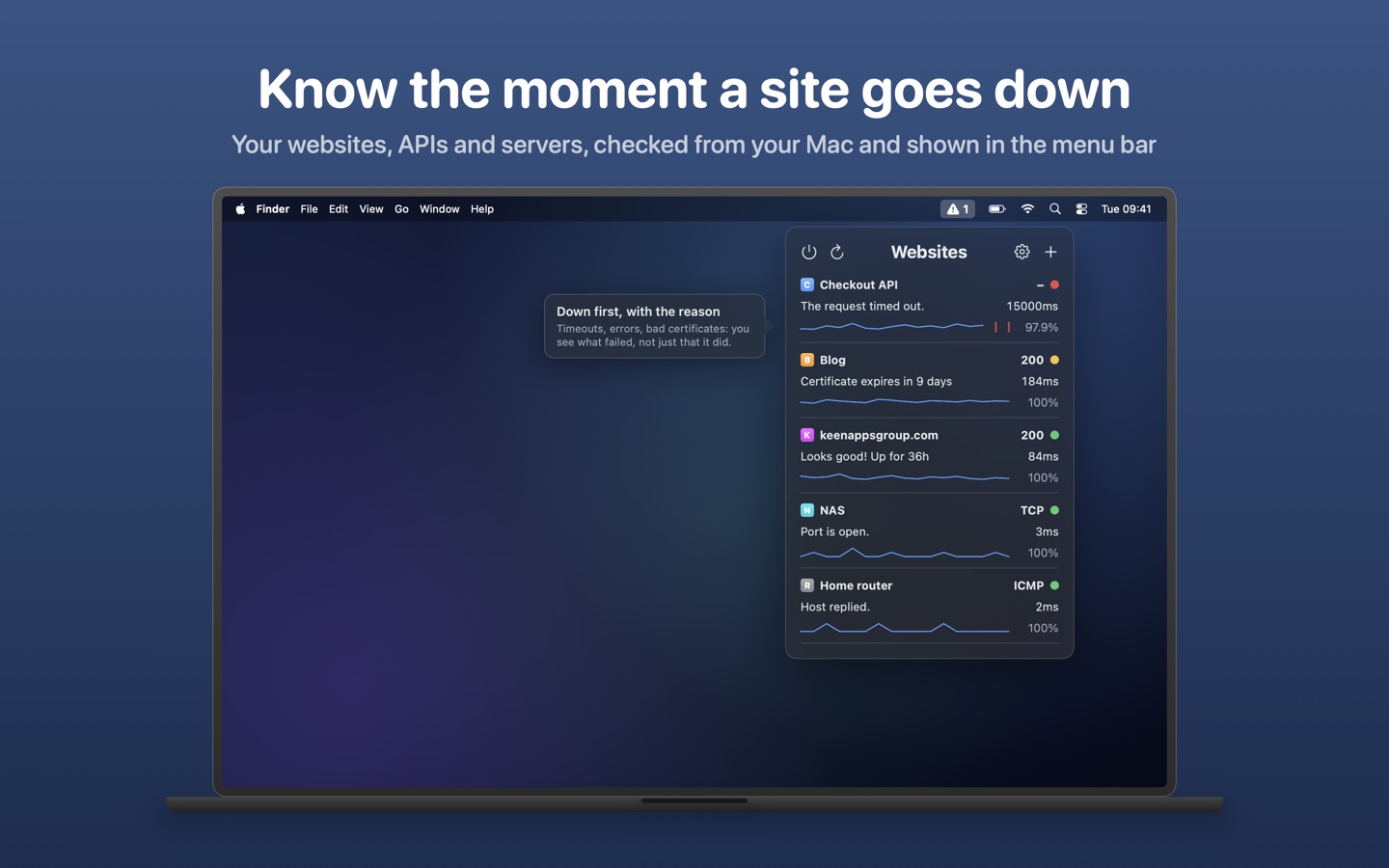
Web Ping lives in the menu bar. One glance shows what's up, what's slow and what's down, with the reason: a timeout, a server error, an expired certificate. Anything down is listed first.
Version 2.0 is a complete rewrite. It checks far more than whether a page answers, sends alerts wherever you'll see them, and keeps a history of every site. Your websites from 1.x are kept.
Key Features
🌐 More than a ping
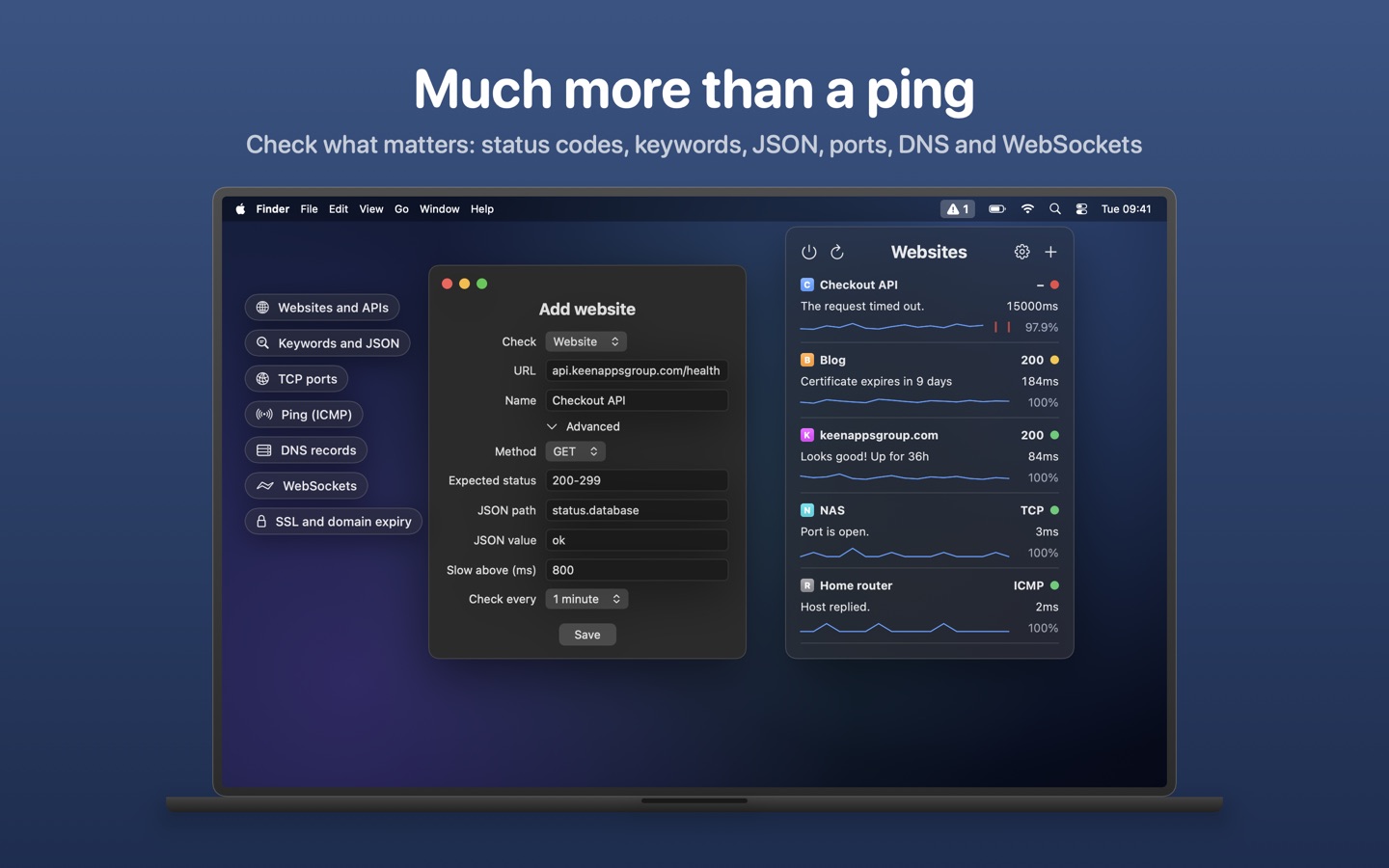
Websites and APIs with expected status codes, a custom method, headers and body. Keyword checks for text that must, or must not, be on the page. JSON checks, like status.database = ok. TCP ports, ICMP ping, DNS records and WebSockets — each with its own interval, timeout and slow-response threshold.
🔔 Alerts where you'll see them
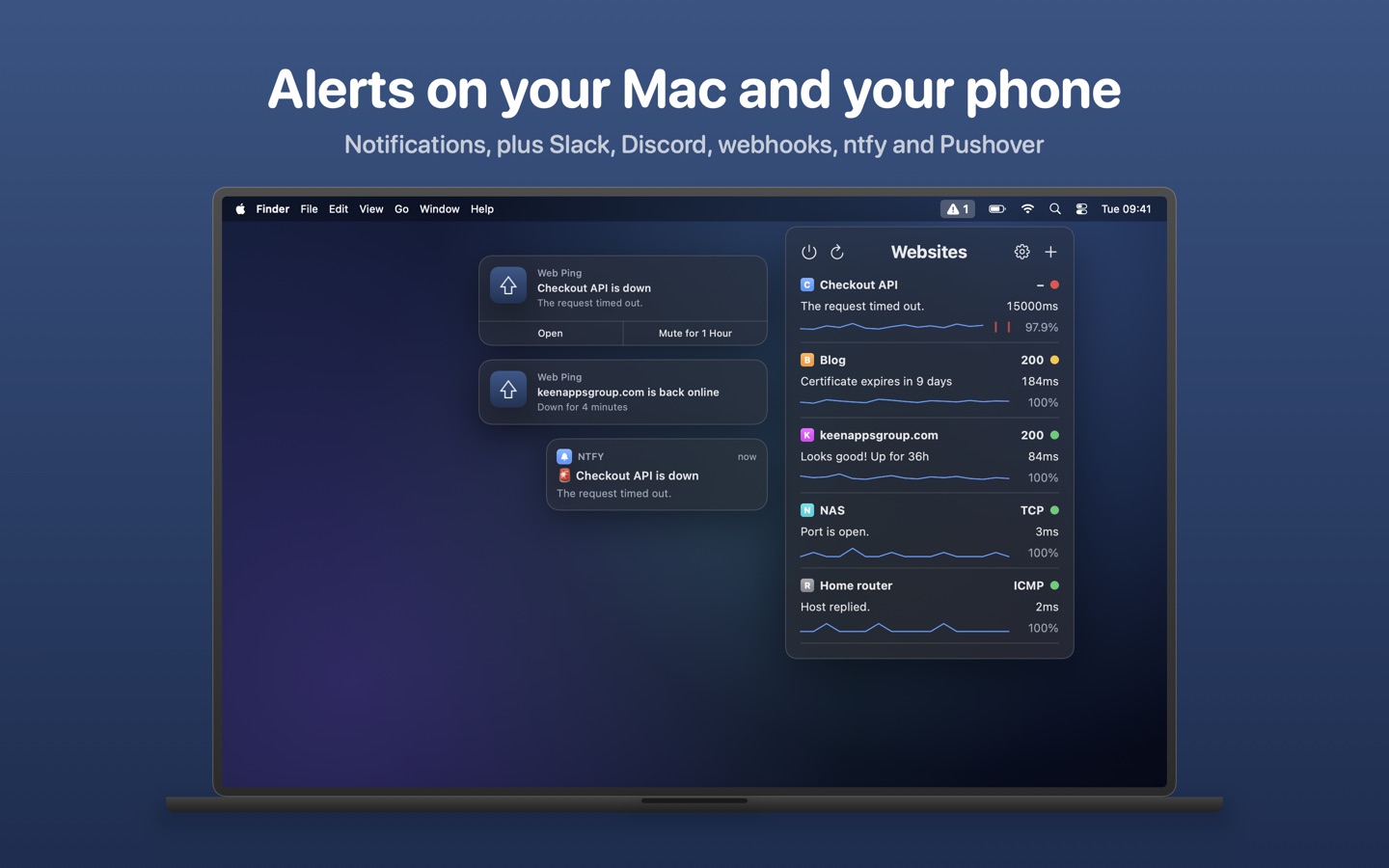
Mac notifications with Open and Mute for 1 Hour, plus Slack, Discord, any webhook, and your phone through ntfy or Pushover. A failing site is checked again before you're told, so one dropped request doesn't raise an alarm. "Back online" alerts say how long it was down.
📈 Every detail, one click away
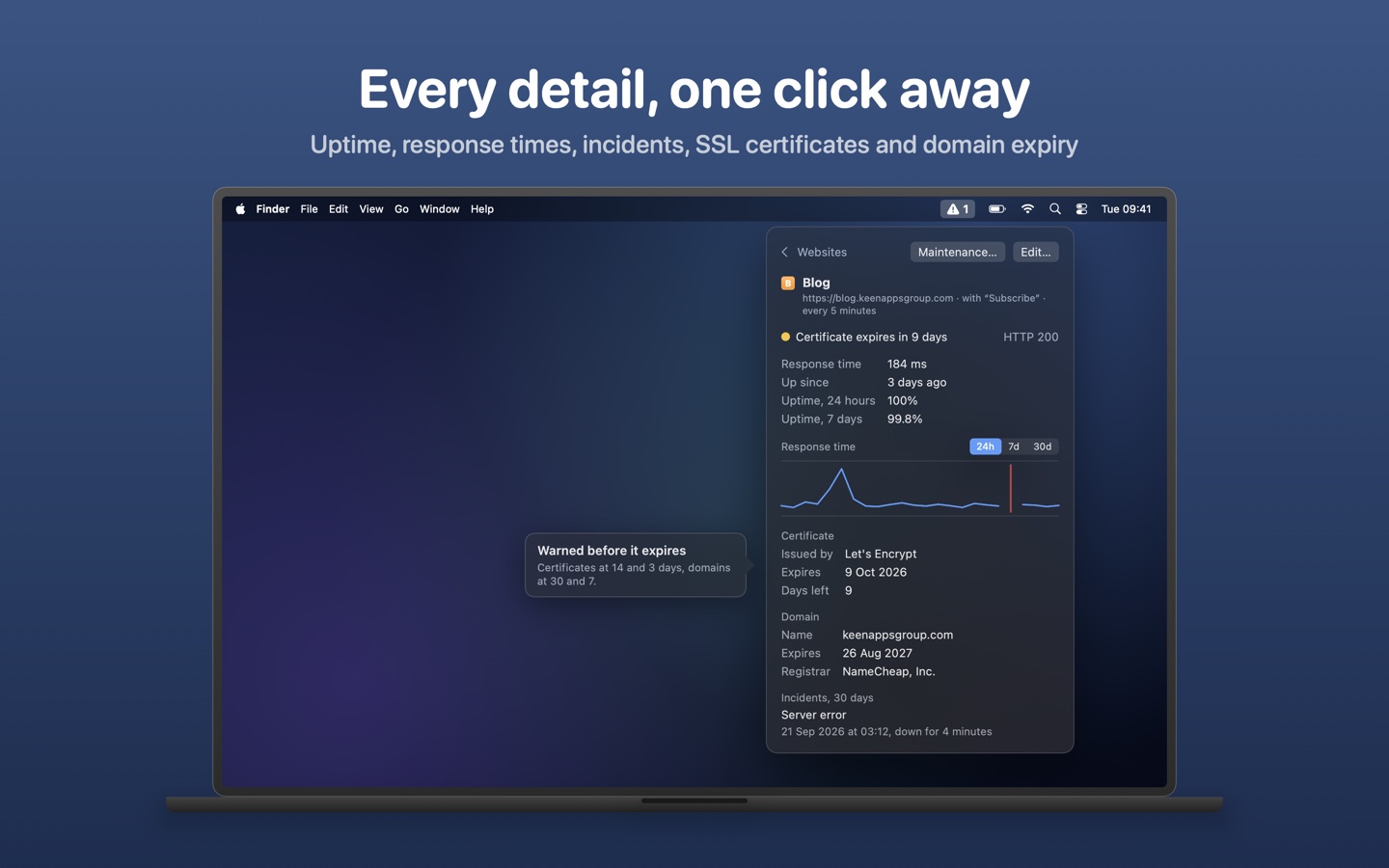
Uptime for the last 24 hours, 7 days and 30 days, a response-time chart and an incident log for every site.
🔐 Certificates and domains
SSL certificate warnings 14 and 3 days before expiry, and domain registration warnings 30 and 7 days before.
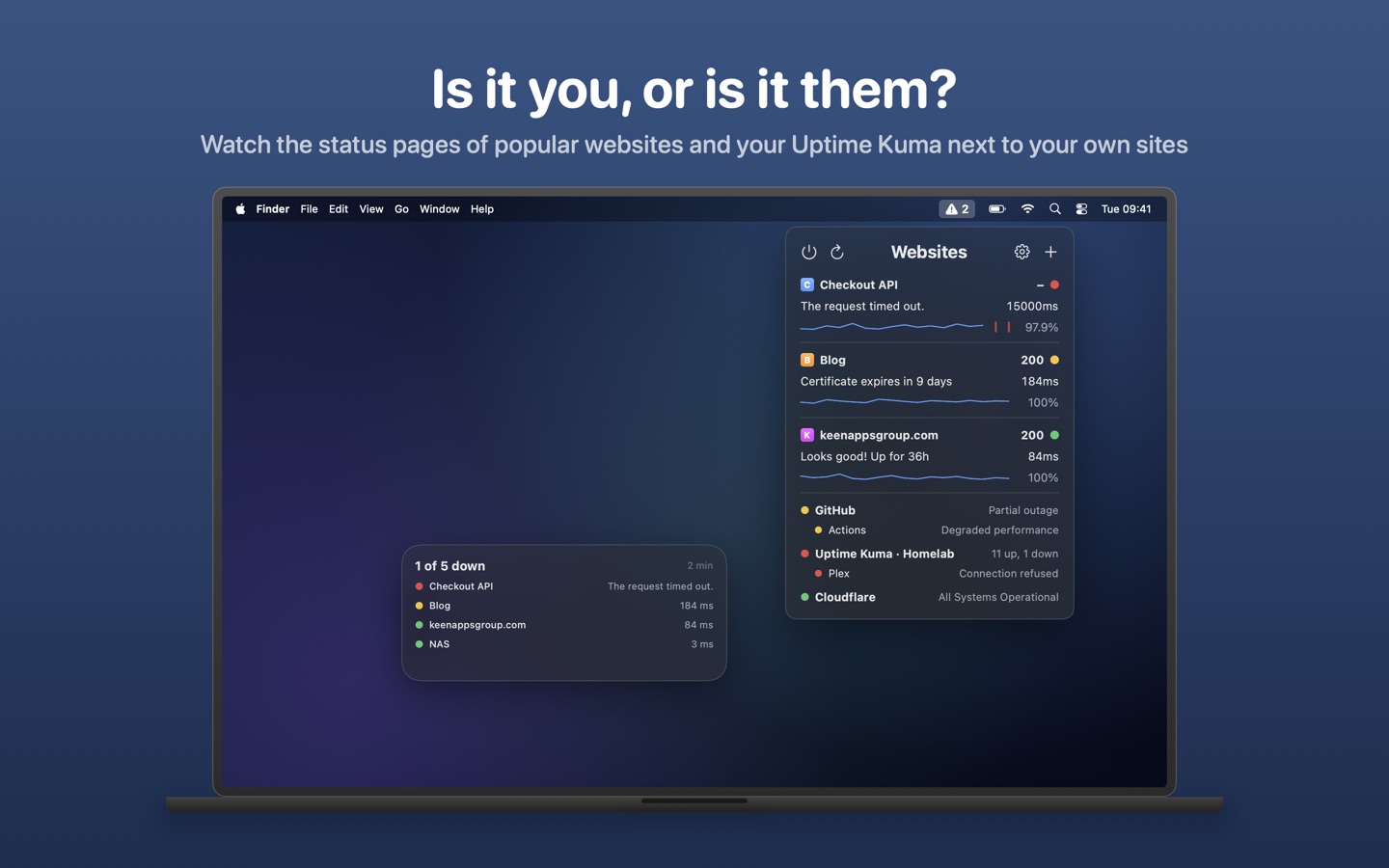
🤔 Is it you, or is it them?
Watch the status pages of popular websites next to your own sites, and show your Uptime Kuma, Healthchecks.io or UptimeRobot monitors in the same menu.
🌙 Quiet hours and maintenance windows
No alerts at night if you'd rather not, and no false alarms during planned work.
And More
- A desktop widget
- Shortcuts: check everything, ask whether a site is up, or add one
- Find devices on your network, like a NAS, and monitor them in a click
- A global keyboard shortcut to open the menu
- Import and export your sites, and export the history as CSV
- Launches at login
Private by Design
Checks run from your Mac. There's no account, no tracking and no server of ours in between, and the keys for your alert channels stay in your keychain.
Frequently Asked Questions
Do I need an account or a subscription?
No. Web Ping is a one-time purchase on the Mac App Store. There is no account and no subscription.
Can it monitor things that aren't websites?
Yes. Besides HTTP and HTTPS, it checks TCP ports, ICMP ping, DNS records and WebSockets, so servers, databases, routers and a NAS on your own network can be watched too.
Can I get alerts on my phone?
Yes, through ntfy or Pushover, as well as Slack, Discord or any webhook.
I used Web Ping 1.x. Will I lose my websites?
No. Your websites from 1.x carry across to 2.0 automatically.
What macOS version is required?
macOS 14 Sonoma or later.
Need More Help?
Have questions or need assistance? Visit our contact page to get in touch. We typically respond within 24 hours.